
With this interface you can import a list of parts using a csv file onto a WIP. The 3 fields must be semi colon separated (not comma)
Part Number (without the franchise letter
Quantity
Franchise letter
There must also be a Carriage Return Line feed after the last part
EPC Button POS
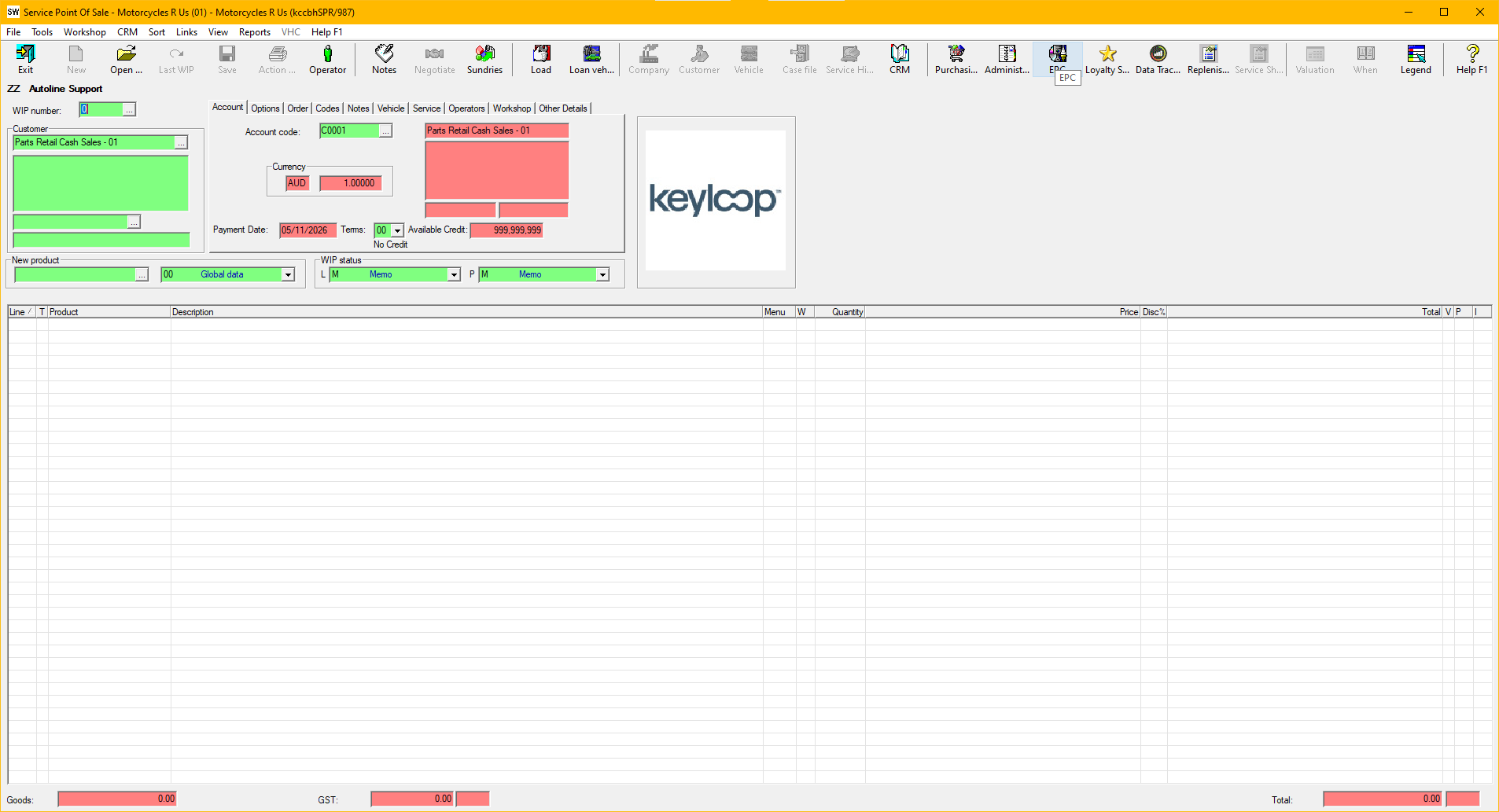
Or through the Links menu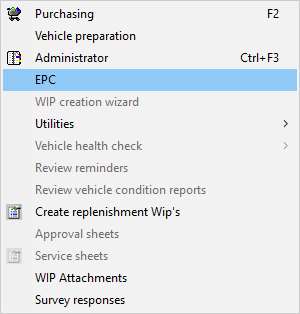 The MS company 00 must be selected on the WIP to see these.
You must create an EPC GFT record in MS 00
Set the Remote Path to the Folder on the PC you will save the files.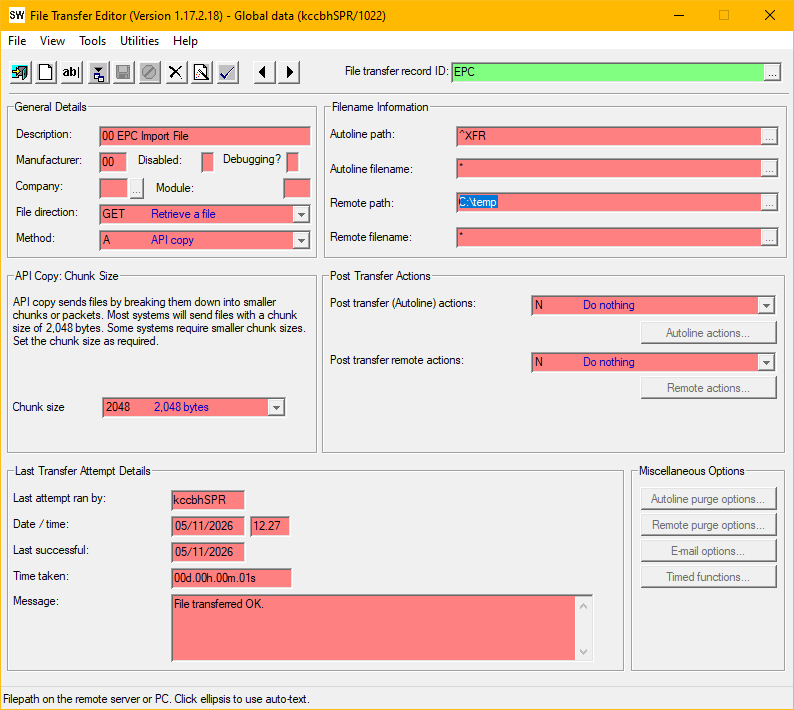
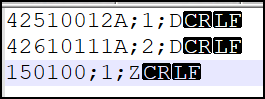
The filename must end in .csv
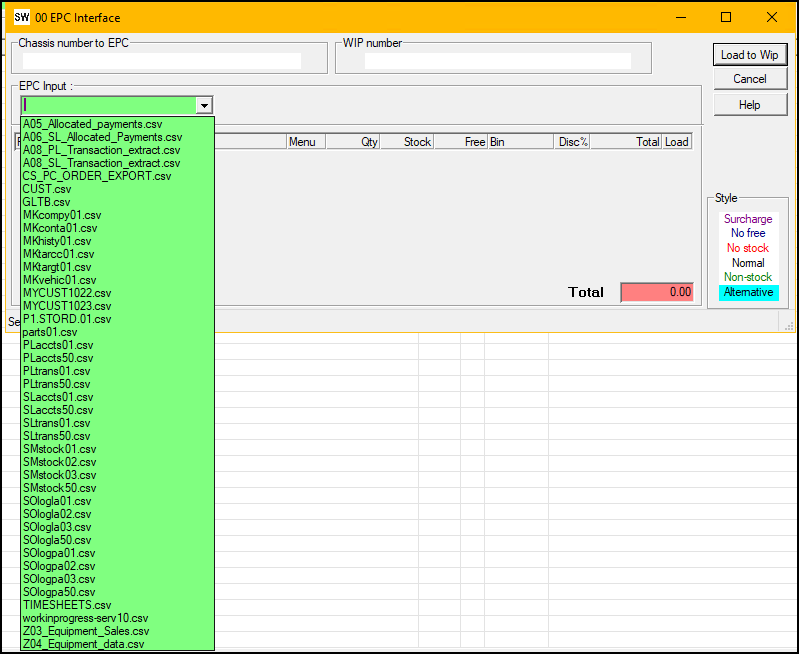
In the drop down it will list all files in that dir ending in .csv – then validate the file once one is selected.
Select the file
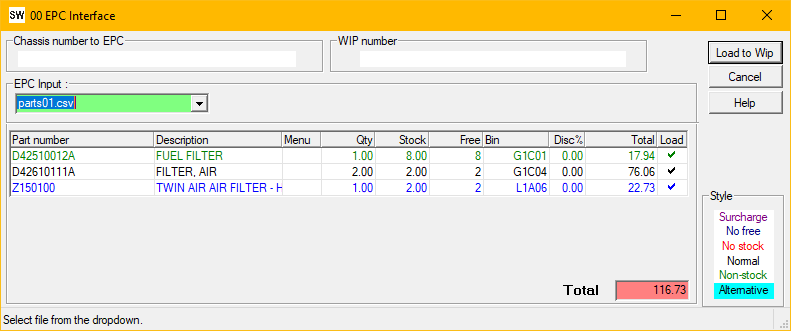
The parts will appear on the screen - you will get the same normal popups - as if you were loading the parts on manually - eg which price to use, supercessions etc.
Click Load to WIP
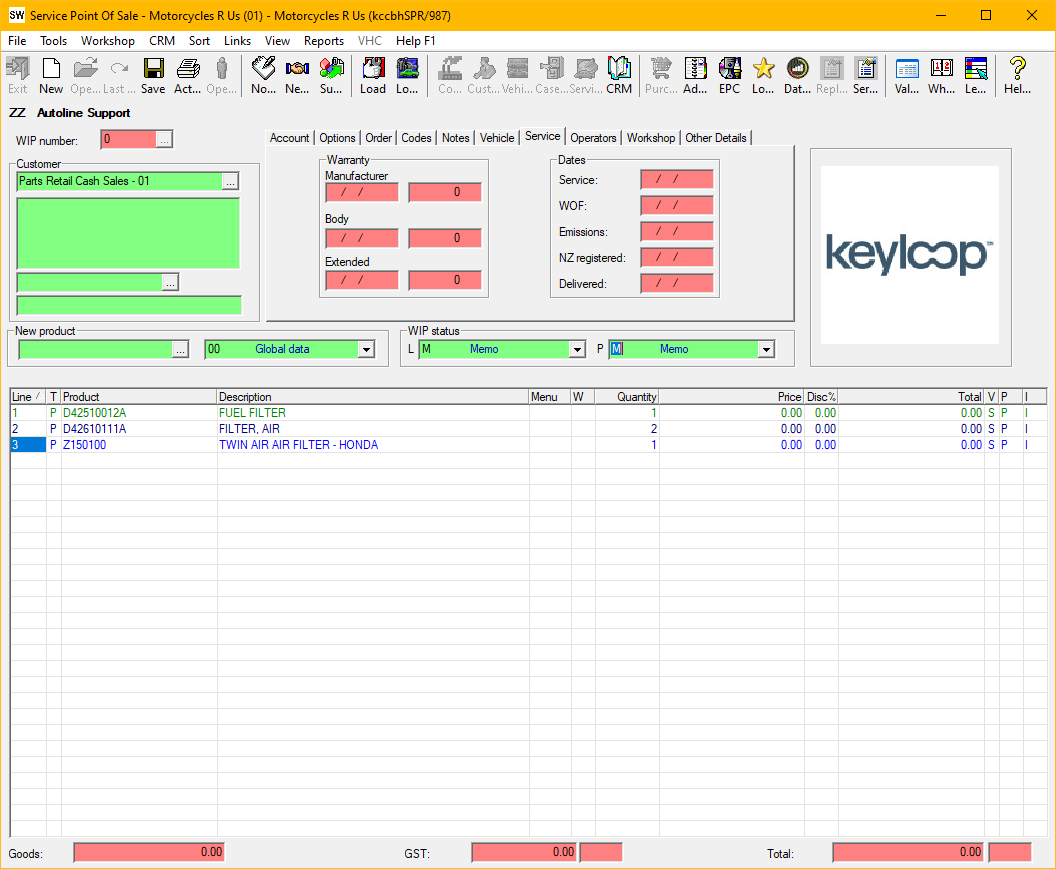
Select the file
The parts will appear on the screen - you will get the same normal popups - as if you were loading the parts on manually - eg which price to use, supercessions etc.
Click Load to WIP