
When the Invoice Register or Invoice Scanning is used the daybook that shows the "Pass" part of the posting has always shown the full batch rather than the single invoice that is being displayed.
There is now the option to see the transactions for the single invoice in addition to the postings for the full batch.
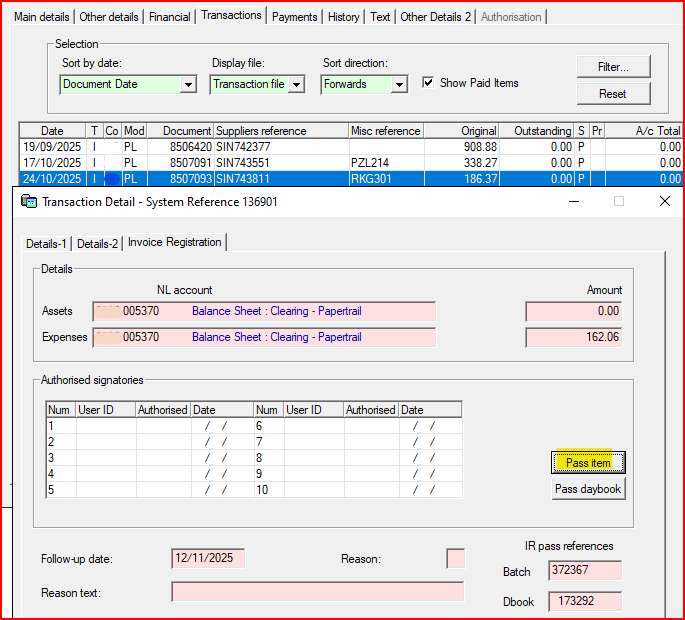
Double click on the document or click Detail and go to the Invoice Registration screen. Above the Pass Daybook option there is a Pass Item option and this will display the postings for a single document.
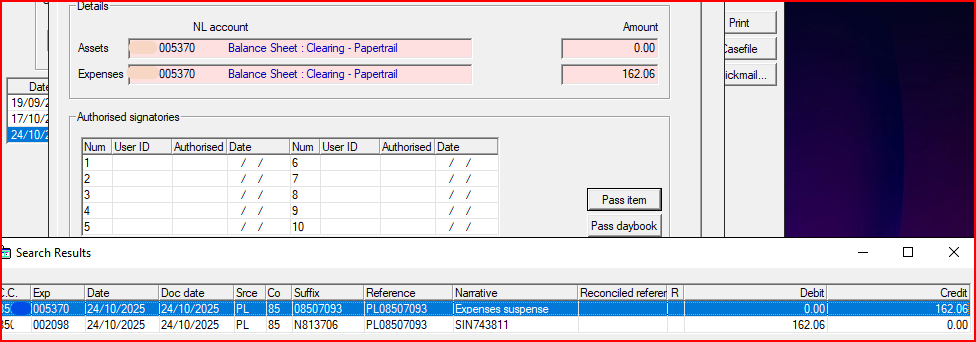
The Pass Daybook option will still show the full batch.