
Background
This system is to create contacts to be followed up by the sales and service departments.
When the report is generated to create the CRM contacts to be followed up a csv file is also emailed with a list of all those customers to be contacted.
The contacts should be followed up within Autoline and the followup code is selected based on the outcome of the contact with the customer.
Sales Department
The sales department run the report from CRM Report Generator
EWR - End of Warranty Sales Contact
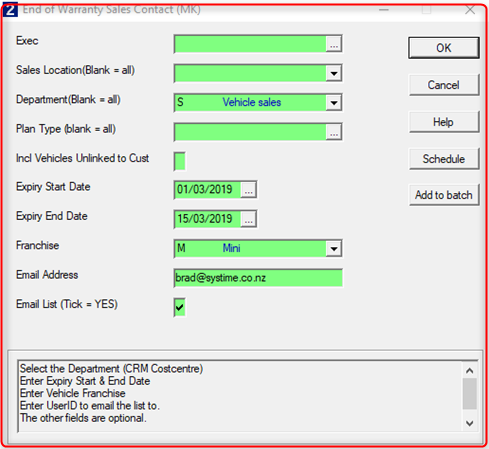
Email List – This will email a csv copy of the file to the email address entered.
The email report can be run at a later time by running the CRM report EWE - End of Warranty Email
Sales Contacts & Followup
The contacts will appear on the customer record to be followed up

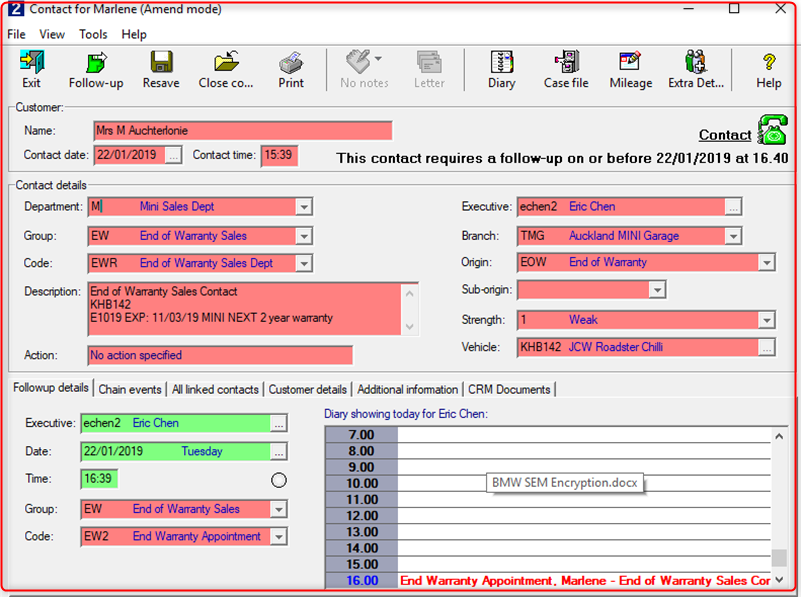
When actioning the contact they should choose the relevant follow-up code which indicates the result of the call.
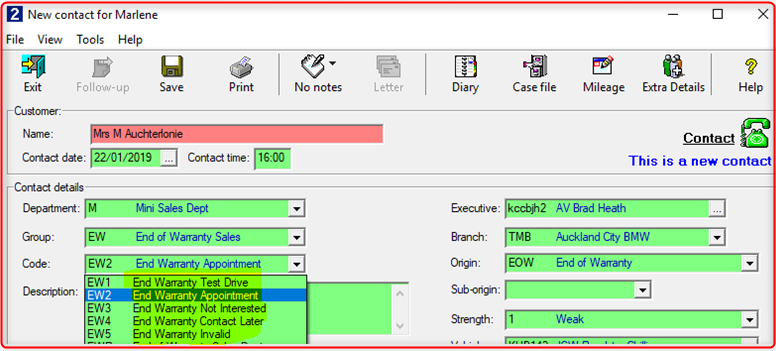
Service Department
The service department run the report from CRM Report Generator
EWS - End of Warranty Service Contact
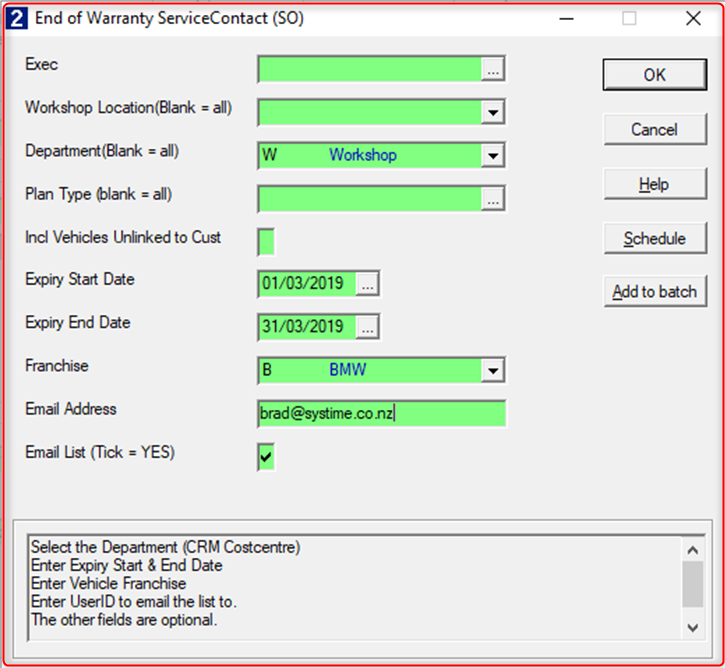
Email List – This will email a csv copy of the file to the email address entered.
The email report can be run at a later time by running the Point-of-sale report EWE - End of Warranty Email
Service Contacts & Followup
The contacts will appear on the customer record to be followed up

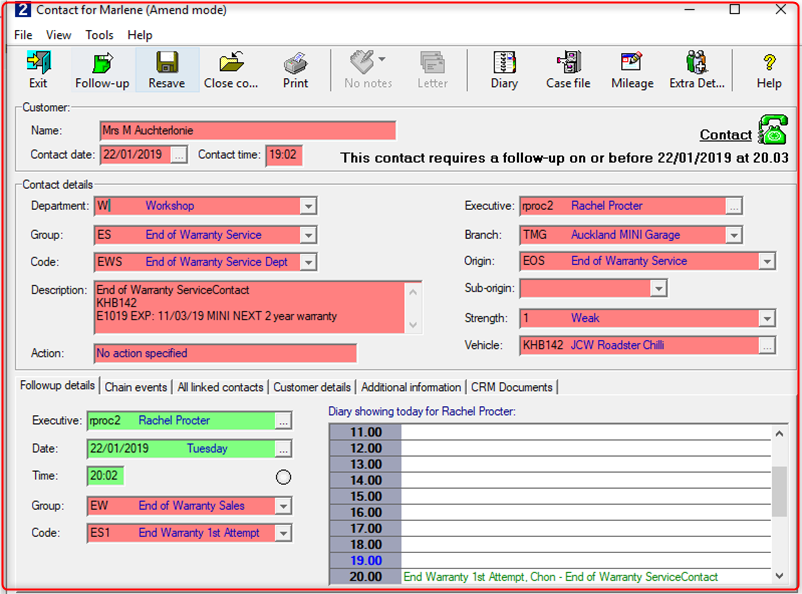
When actioning the contact they should choose the relevant follow-up code which indicates the result of the call.
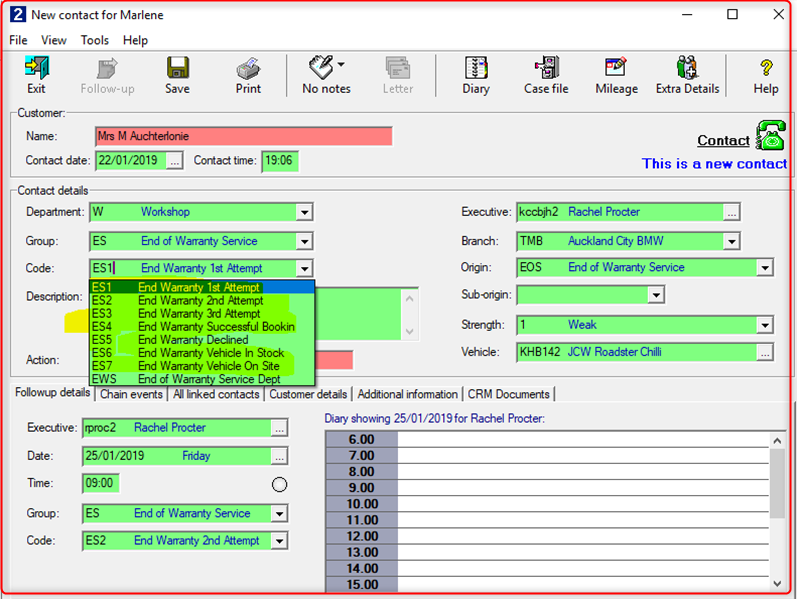
Monitoring the results
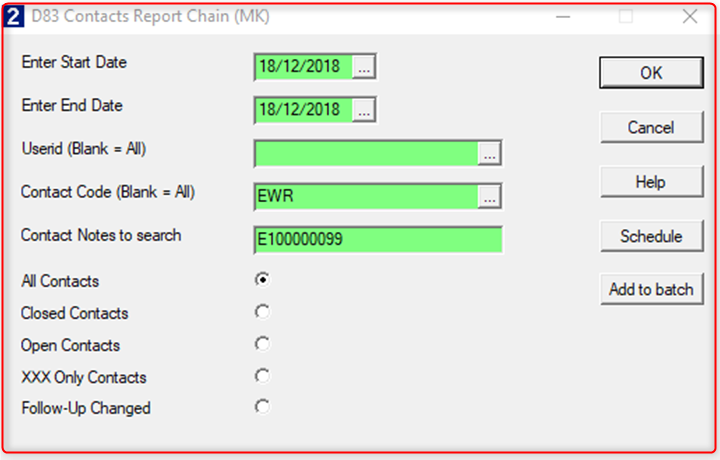
CRM Report D83
Enter the contact code EWR or EWS
Enter the date range of when the EWR or EWS was created. This is date the range the report was run
Enter any text you want to search for in the Original EWR or EWS contact.
Examples being a specific contract code - E100000099 or BSI
The report will list the original EWR or EWS and any contacts since then in the same chain
Initial Setup
- Contact the helpdesk
- Advise whether you would like both Sales & Service setup
- Advise the service user you would like the follow-up contacts created against