From July 2026 the BMW eProfit extract will be sent to Urban Science. There is a change to the requirement as to how the account code is sent and BMW have provided two options to allow the Dealers to make the change.
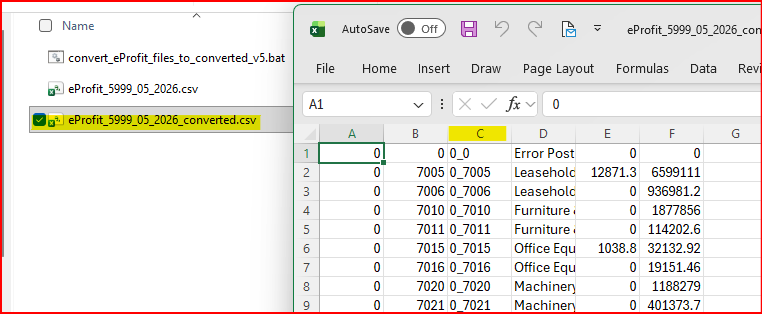
Previously the Cost Centre and Expense code were in two separate columns, now they are to be sent as one field separated by _ eg 0000_0000.
The first option is to use the concatenate option in Excel eg =CONCATENATE(B2&"_"&C1)
The second option is to use a conversion file that has been developed for this purpose.
The file is attached at the end of this document and will be emailed to the Dealers Accounts contact as

It should be saved on the users PC and renamed from a .txt file to .bat. The filename can be changed if a different name is preferred but it must be a .bat file.
The eProfit extract should be saved to the same folder, this can be done in the existing eProfit folder or a different one.

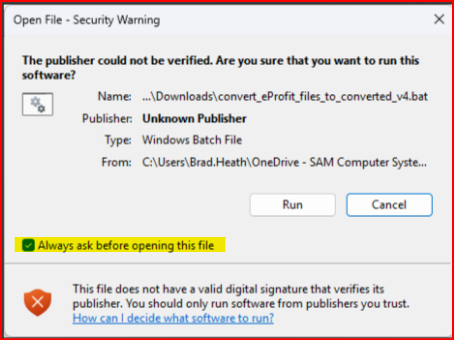
The first time the conversion file is run please remove the tick in Always ask before opening this file. This will prevent this screen from appearing in future conversions.
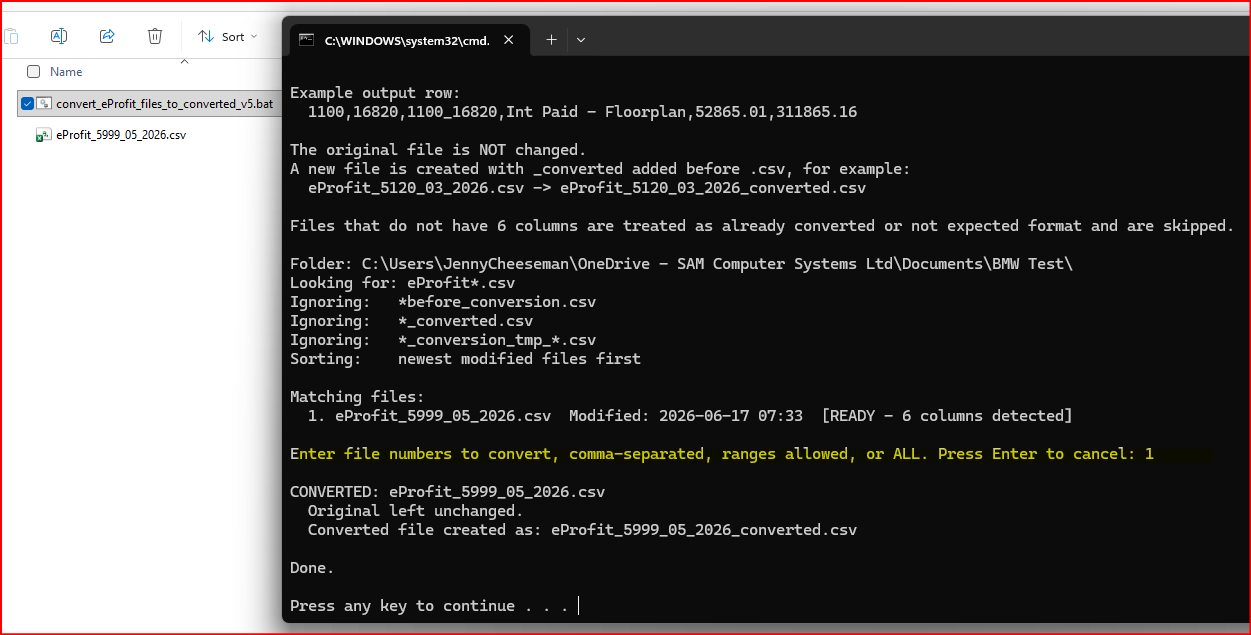
Double click on the .bat file and it will open the file. The latest eprofit file will always be number 1. Enter 1 on the line highlighted below and when Done appears press any key to exit.
A new file will have been created with the concatenated field in column C