
BMW RIS Go-Live
Autoline user bulletin
What is BMW RIS?
RIS (Retail Integration Services) is an API (Application Programming Interface) Layer that enables external companies to exchange data with BMW’s internal applications within the Retail scope.
RIS Portal is a BMW AG web application where you can find all the documentation and guidelines to assist with RIS onboarding and integration processes, as well as API specifications, release notes, certification requirements and additional support content like documents and videocasts.
Overview
BMW now requires dealerships to use the BMW RIS APIs to access selected data. This data was previously supplied through data files and the BMW PIX file transfer process.
The change means Autoline will retrieve selected BMW labour, warranty defect, and vehicle specification information directly from BMW when required.
APIs being applied to Autoline
- BMW Master Data Labour API
- BMW Warranty Defect Code API
- BMW VES Vehicle Specification API
What is changing?
Area | Previous method | New method | User impact |
Labour / RTS codes | Local data files via PIX | BMW RIS API | More current data, but lookups may take longer. |
Warranty defect codes | Local or reference data | BMW RIS API | Same general process, but the response may be slower. |
Vehicle specification | Existing chassis/specification data | BMW VES API | VES icon available in VSB, Service, Parts, CRM, and Showroom. Manual variant selection may be required. |
What this means for users
- Data should be more accurate and up to date because it is retrieved from BMW directly.
- Some lookups may take longer than before because Autoline now needs to retrieve the information from BMW via an internet API call instead of reading it from a local Autoline table.
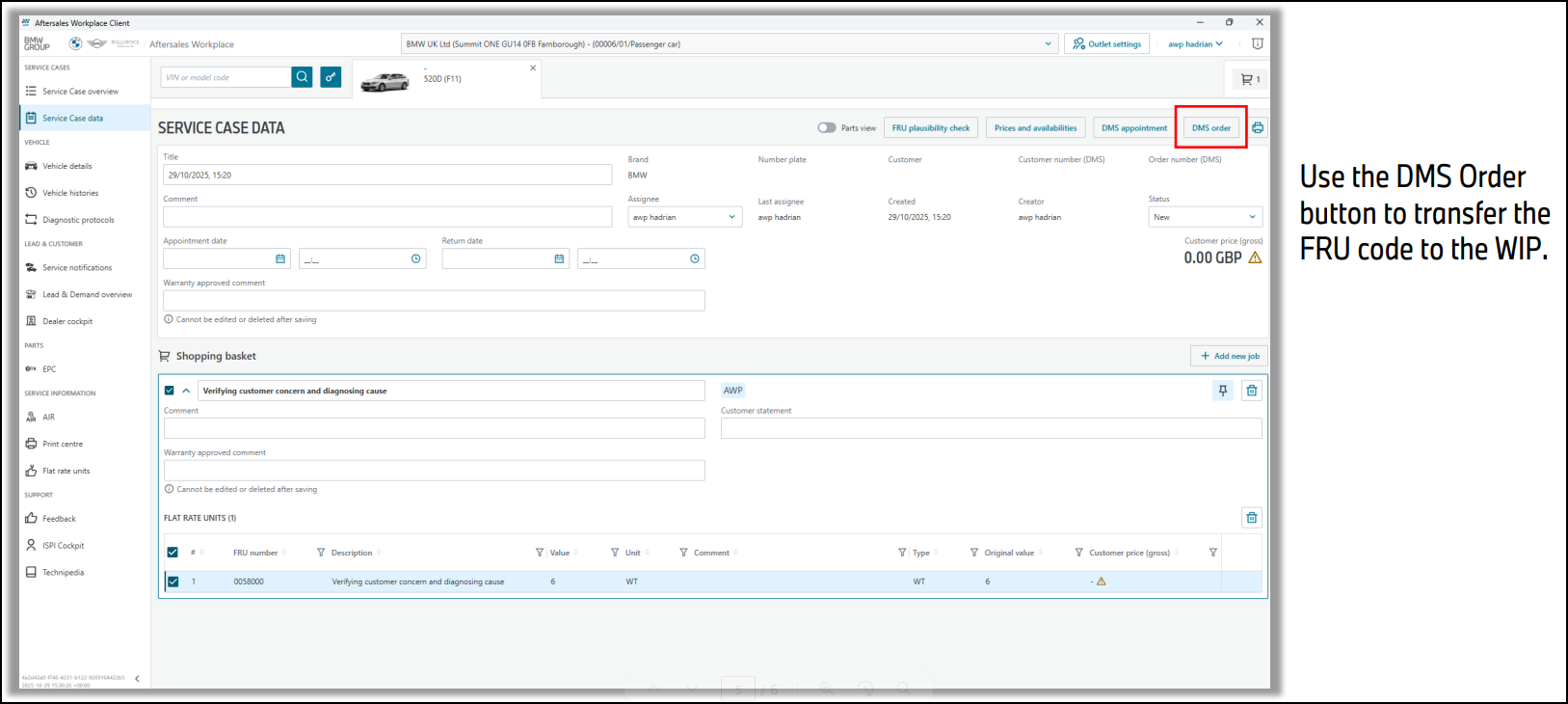
- Some generic FRU codes are not currently supplied by BMW through the API lookup service. These FRU codes must be added to the job in BMW AWP and then pushed back to the Autoline WIP.
Generic FRU codes and BMW AWP
Some generic FRU codes are not currently supplied by BMW through the API lookup service. Where this occurs, these codes cannot be selected directly in Autoline in the same way as API-supplied codes.
Required process:
- Add the required FRU code to the job in BMW AWP.
- Push the job back to the Autoline WIP.
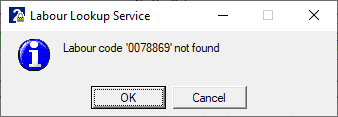
BMW Master Data Labour
Within POS RTS code selection, users can now search RTS codes by group code and by word search against the RTS code description. The search is performed against BMW data retrieved directly from the OEM API.
The search results will include RTS codes where both the selected group code and word search text match the available BMW data.
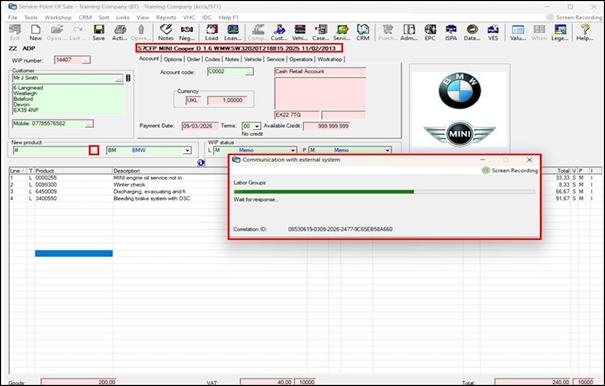
BMW API lookup progress during RTS code selection.
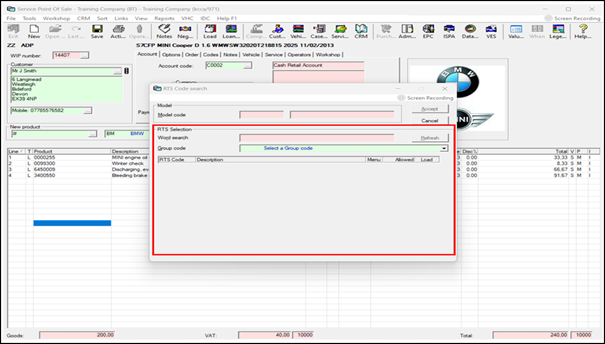
RTS code search screen.
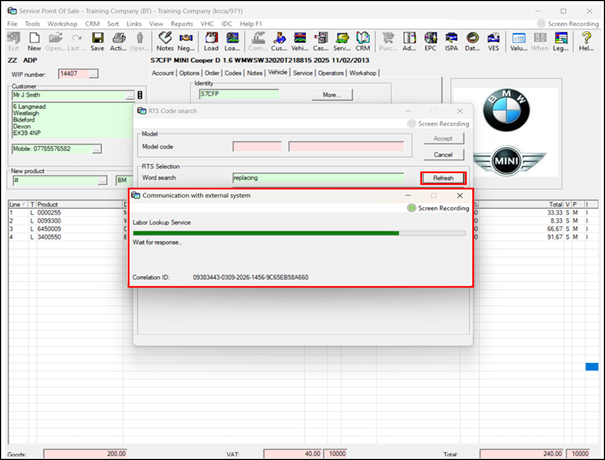
BMW API data lookup in progress.
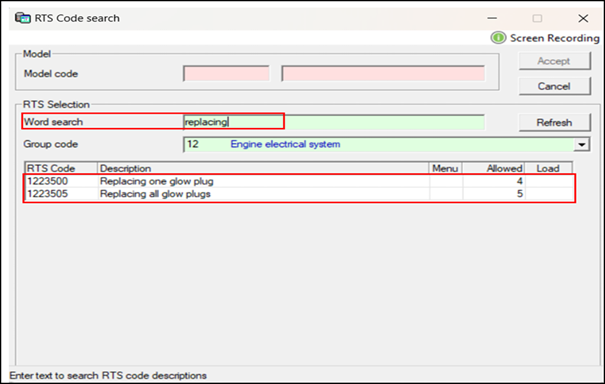
RTS code search results with Refresh option.
Cache and refresh behaviour
Search results are cached after lookup. If you need to retrieve the latest RTS code information from BMW, click Refresh to call the BMW API again.
Technical note: cached results are stored in MS.OI.rtsqu.
BMW Warranty Defect Code
This functionality will work in the same general way as before. The difference is that the data is now looked up through the BMW API, so the response may be slower than a local lookup.
BMW VES Vehicle Specification
The VES icon is now available in VSB, Service, Parts, CRM, and Showroom.
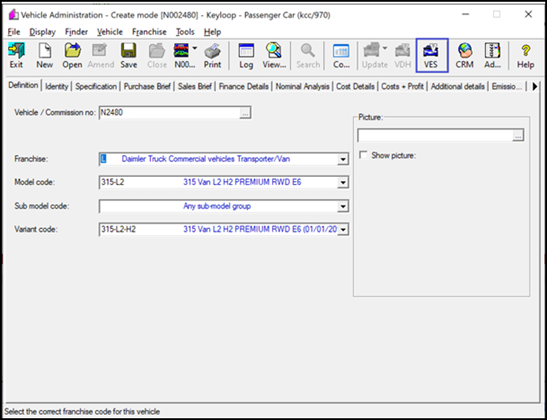
VES icon available from the vehicle administration screen.
VES can be used to update existing Autoline records or create new records where required.
Manual variant selection
You will need to manually select the variant code in some cases because BMW currently supplies different model-code lengths through PCASO and BMW VES.
Source | Example model code |
PCASO | U11GF |
BMW VES | U11 |
Because the VES code may not identify the exact vehicle variant, click the red icon when prompted and select the correct variant code, for example 12EE.
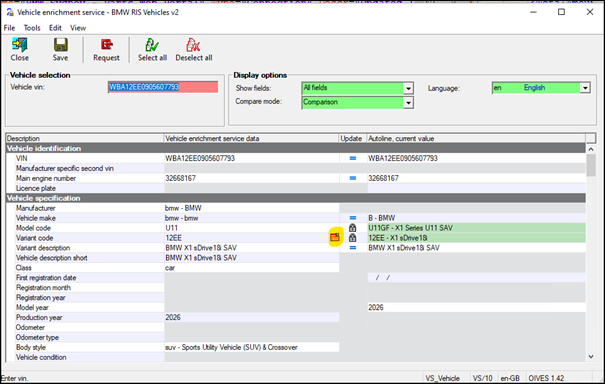
Manual variant selection may be required when the model code is not specific enough.
Existing BMW Chassis Interface
BMW has advised that the existing BMW Chassis Interface is not being turned off at this stage. You may continue to use it where required.
Known limitations
- Some generic FRU codes are not available through the BMW API and must be added through BMW AWP.
- RTS and warranty defect code lookups may be slower than before because they now rely on live API calls.
- Vehicle variant selection may need to be completed manually because BMW VES and PCASO return different model-code lengths.
Support contacts
Purpose | Contact | |
BMW business or change enquiries | Michael Cutting | michael.cutting@bmw.com.au |
Technical assistance | Asif Syed | Asif.Syed@partner.bmw.com.au |
Autoline Assistance | Support Team | systimesupport@systime.co.nz |