Vision 6 Notes
First a repgen runs - eg BX4 - this populated apihd table
Then the daemon runs and uploads them and populates the APISENT & APISTIME
Then the daemon runs and checks if V6 has sent the email (this can be a while later depending how they have it scheduled in V6)
However if they have had a problem - eg they hadnt verified the sending email for months (In Vision6) - then no emails may be sent and they will have a huge list to check if sent (and V6 wont actually send those ones)
So have it check those ones in smaller batches so it doesn’t build a huge array first - and timeout / get killed by EOD
There are afterhours start and end time in the dmlog table
The sending of them happens outside the start and end hour
The checking if an email sent happens inside the start and end hour (strange)
If the PRIORITY is 9 Then they wont be checked
In ERRORMESSAGE

if you take the TARMAGIC – get the email address
Then search in the V6 contacts

this one is yellow – click the 3 dots
Then view
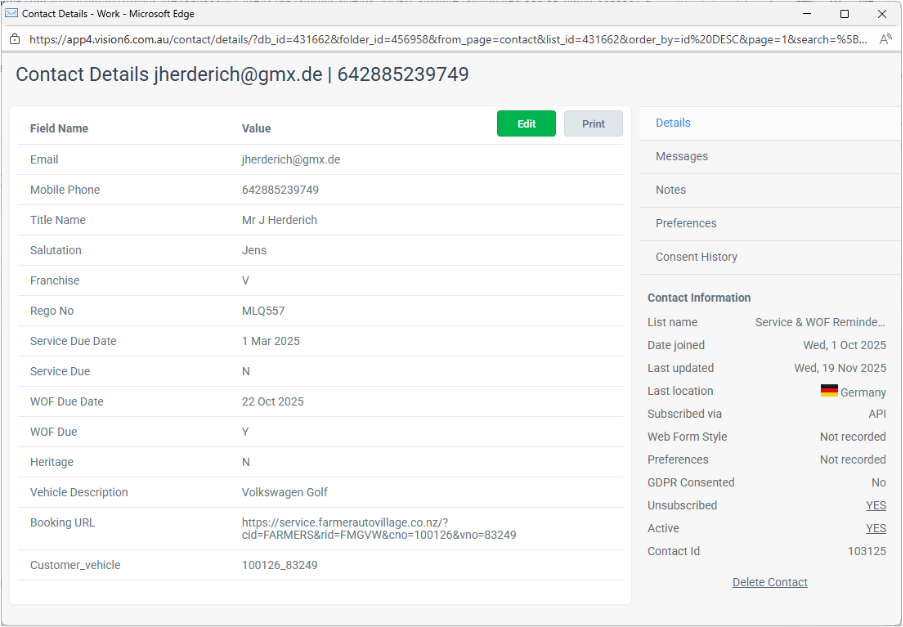
This is yellow because Unsubscribed = YES
Finding List ID for the Autoline Repgen
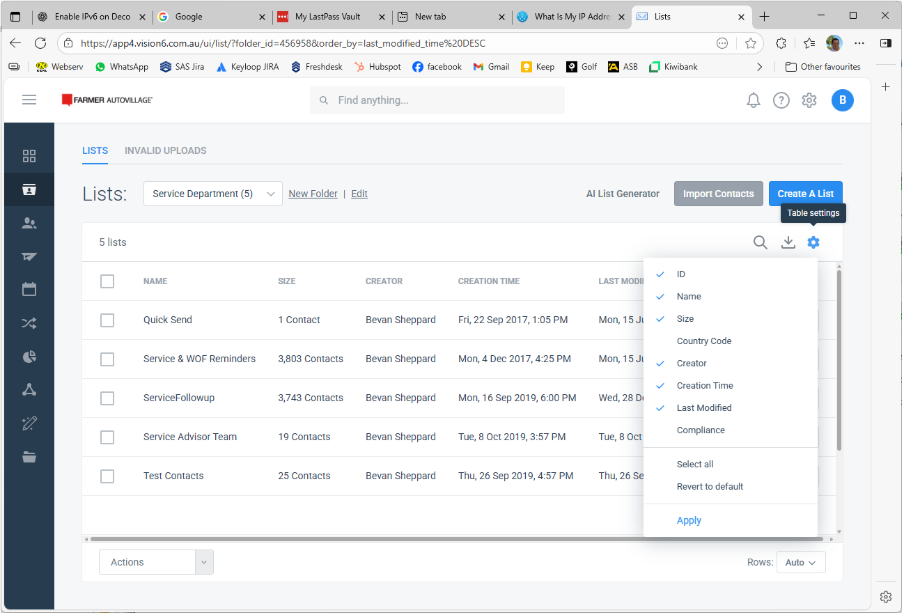
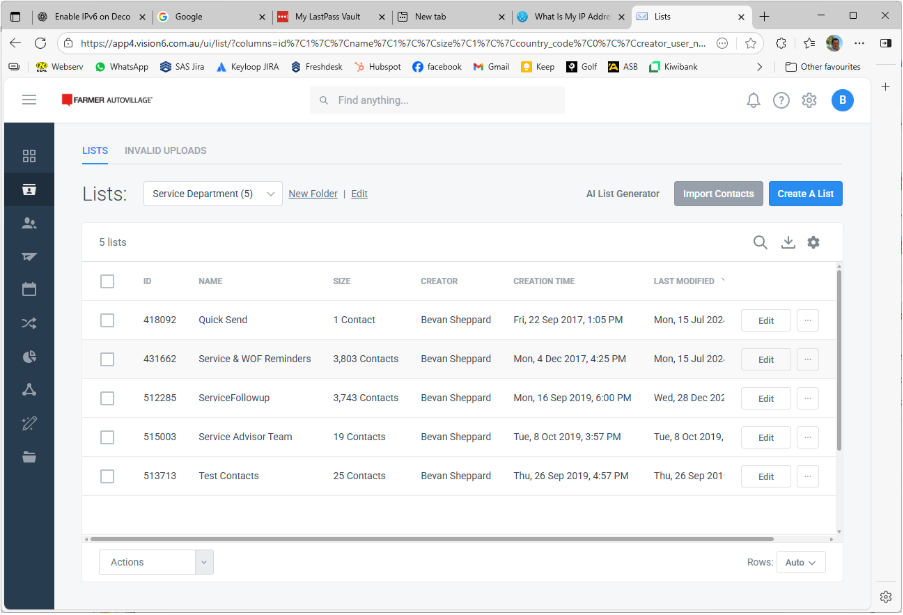
Go to lists – click the cog top right and select ID