
Creating a New Customer in Master Debtors Ledger
This facility allows you to control debtors for the same CRM Customer or Company that is linked to a Sales Ledger account, that exists in multiple Sales Ledgers. Once this facility is installed it is not possible to create an account in an individual Sales Ledger company without it first existing in the linked Master Debtors file.
With this facility it is possible to control your total debt exposure to one Customer by the use of a Total Exposure report. This is the only use of SL 00 Master Debtors
All future SL work is done in each company’s SL as previous
The creation of 00 Master Debtors – creates an extra menu entry in each SL Company , “Master Debtor file”. Figure1
Access and priority level driven the same as any other menu entry in Autoline.
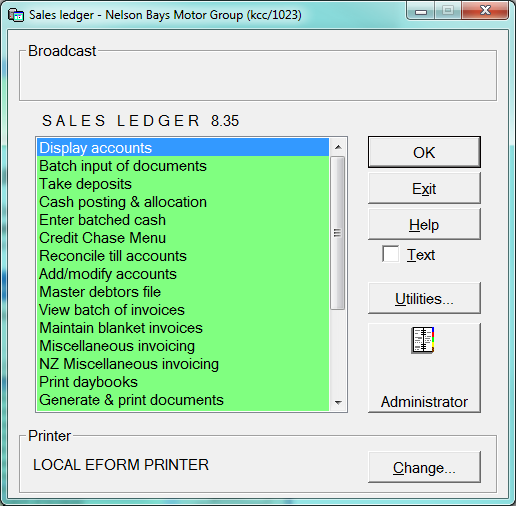 Figure 1
It is not possible to create a new account in the “Add/ Modify”, without the account existing in the Master Debtors file first. Should you try to create an account which is not in the Master Debtors, this message will be displayed.
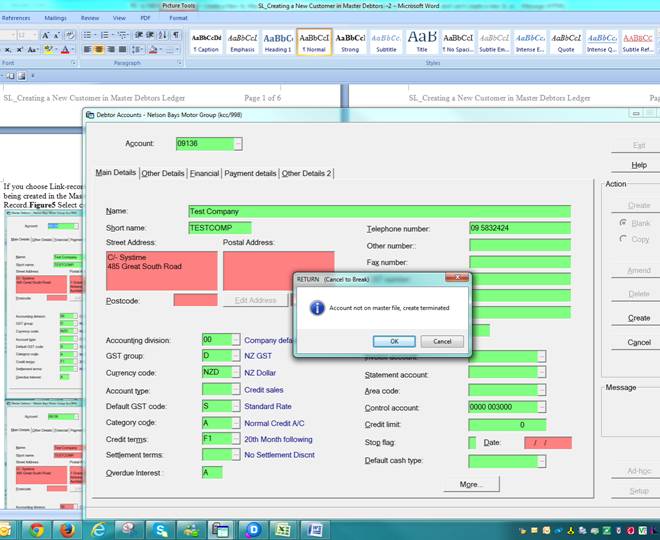
Figure 2
Creation of new account within the Master Debtors file
Go to Coy SL – select Master Debtors file menu
is the same as creating a debtor the normal way.
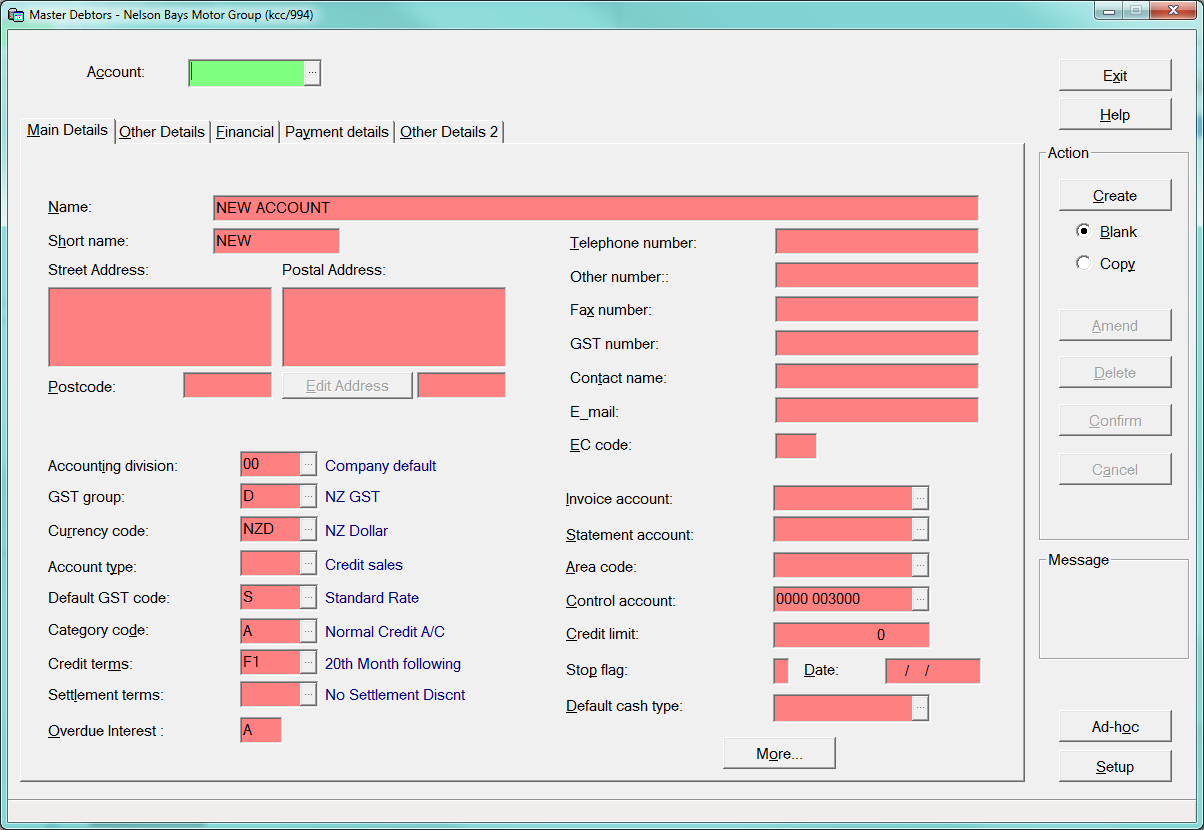
When select the create button you will be prompted to create either a company or customer record in Marketing CRM
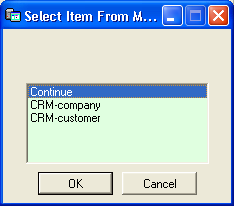
Figure3
CRM Customer Type C= Coy, T = target Customer, and search CRM – same as now
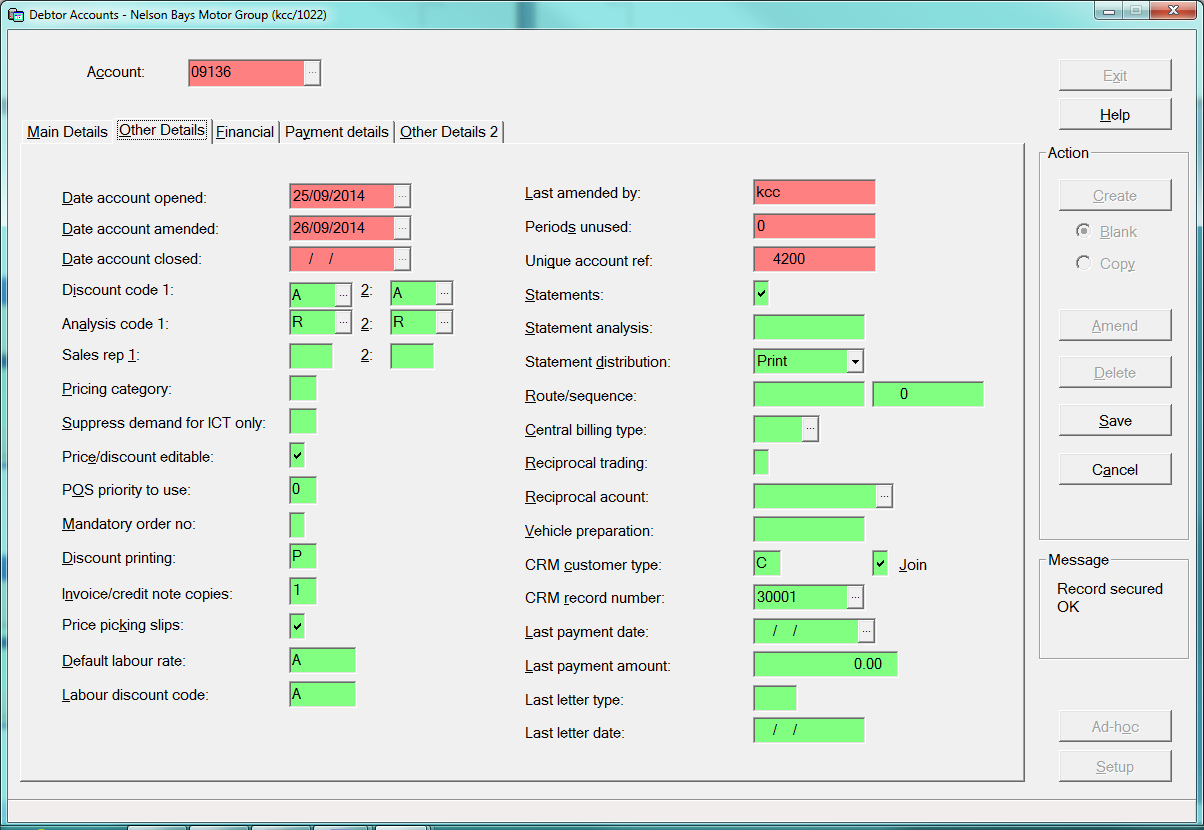
Figure 4
When you have found or created the CRM record, and exit marketing, you will be given these options in
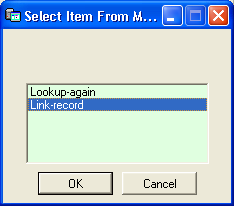
Figure 5
When you select - Link-record, the SL account will display the ac no & details of the debtors account being created in the Master debtors with the information from CRM. The Master Debtors ac set-up is completed.
Next - Go to Add/modifyacs- in the SL Coy you created Master Debtors
Enter the Master debtors ac no – i.e 09136 in the Account field, then select create
.
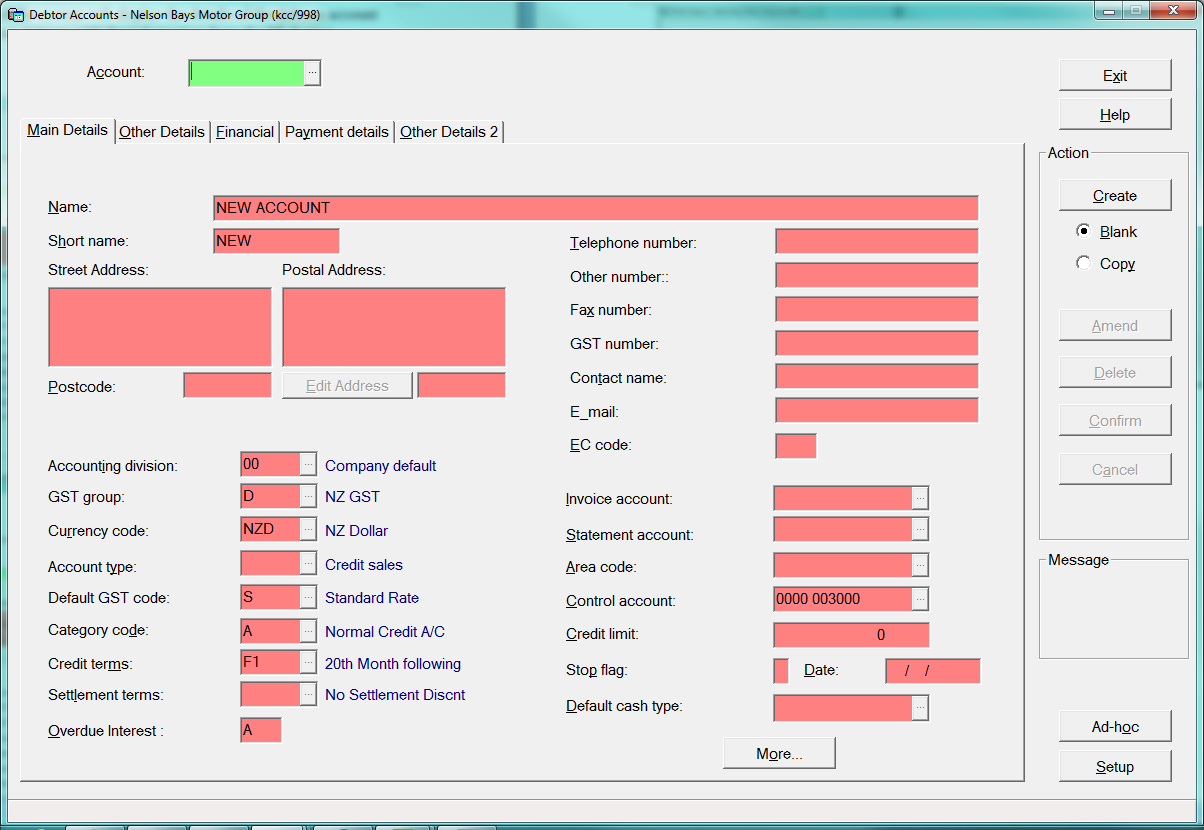
Figure 6
Customer or Company ac details are displayed & then select Create as below
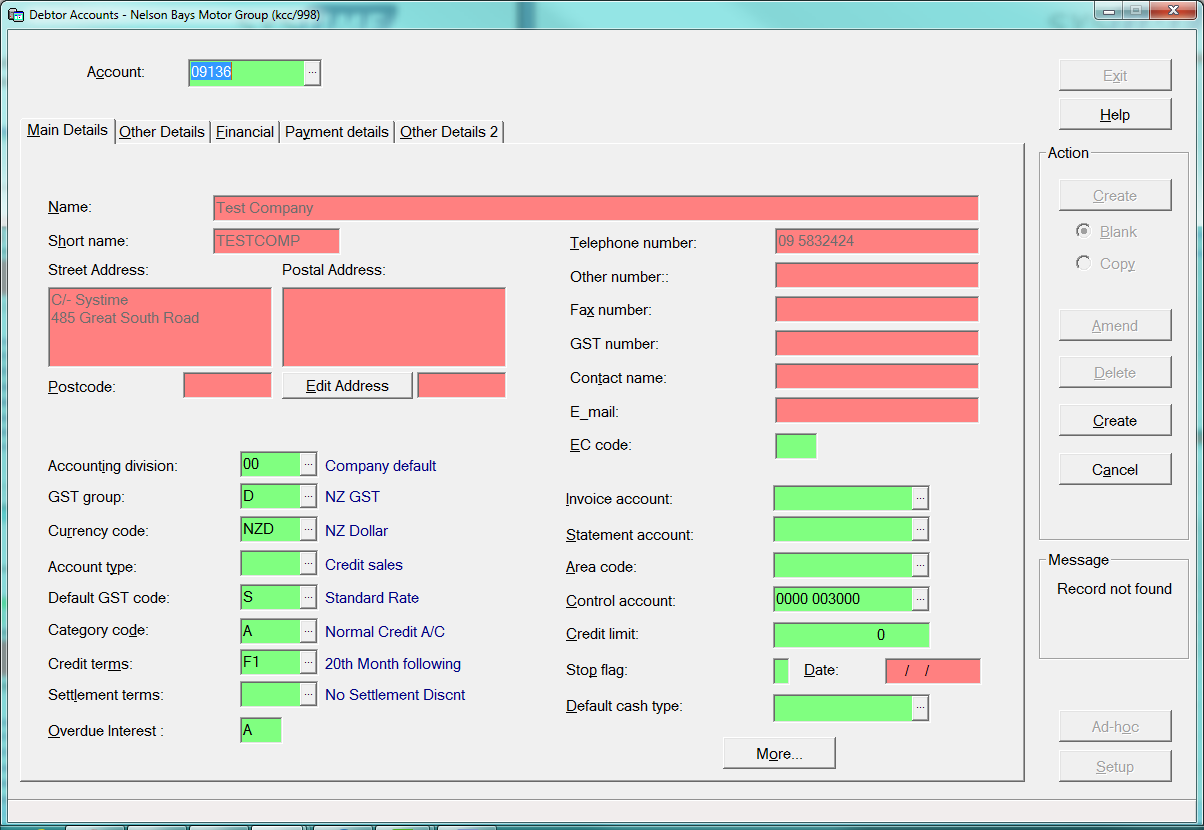
Figure 7
After Coy SL account is created, you may need to modify some fields.
For example : Credit limits, discount price codes, statement distribution.
Select Add/Modify in the Coy Sales ledger. Figures 7 & 8
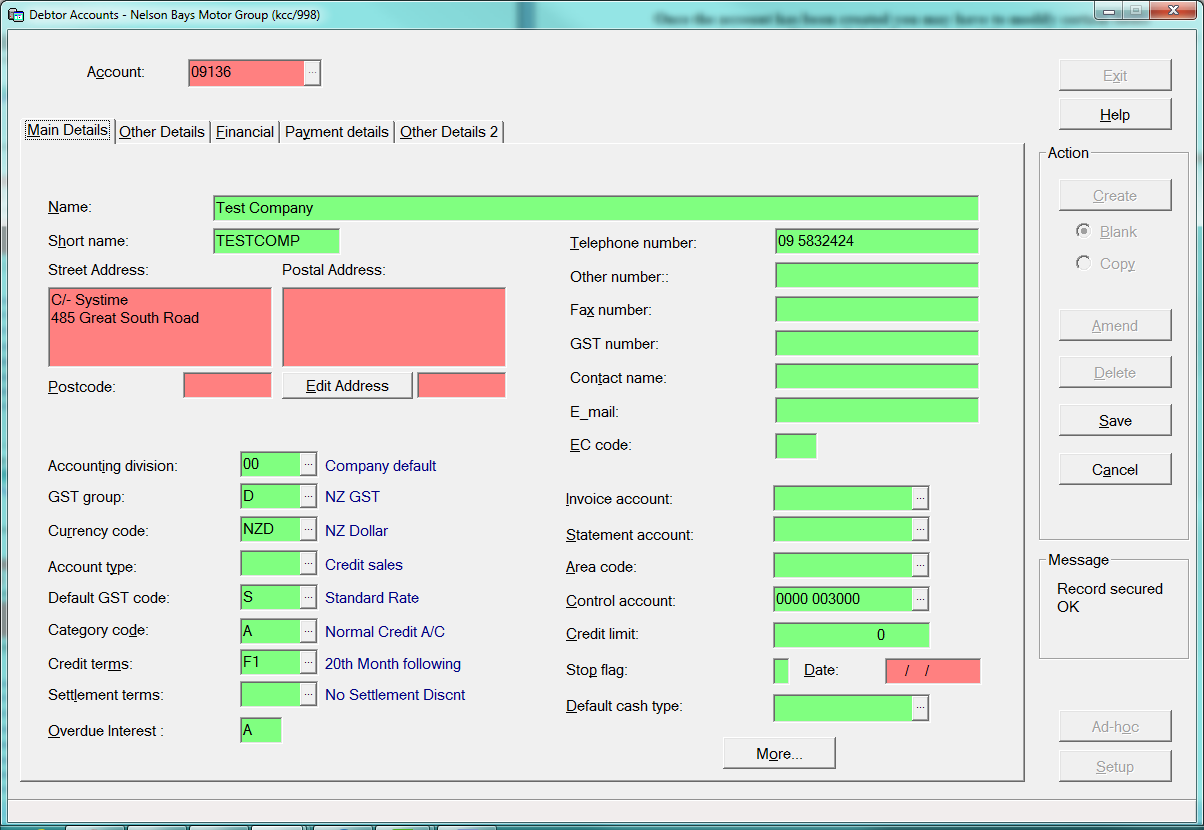
Figure 7
SL account - Other details tab – Discounts codes, Statement distribution
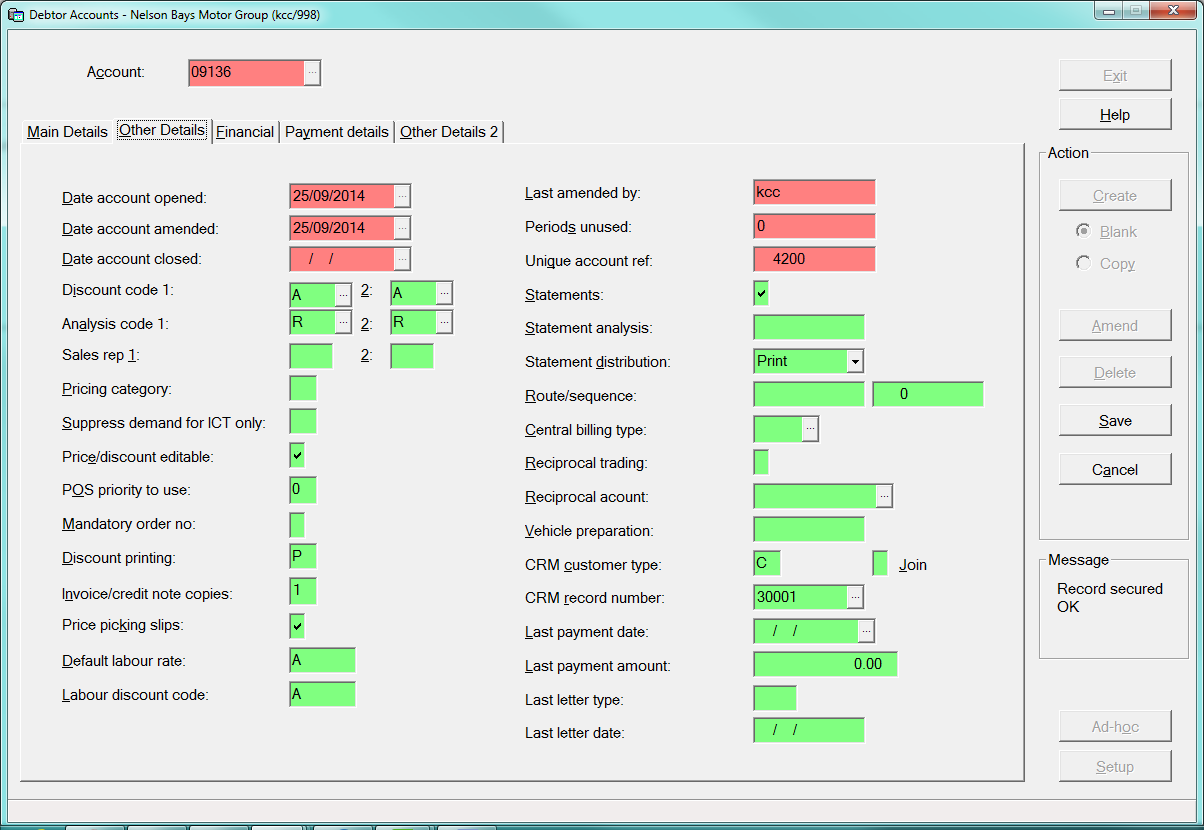 Figure 8